Budget & expenses
Manage your travel budget and expenses
This guide explains how to record, organize and review travel expenses with WanderSpend before and during your trip. As a permanently free travel budget tracker, the app connects planned budgets with the actual costs of your journey.
After this guide
You will understand the Budget Card, know how to record expenses and be able to use categories, people, Cost Split and CSV export.
1. Use the Budget Card as your trip overview
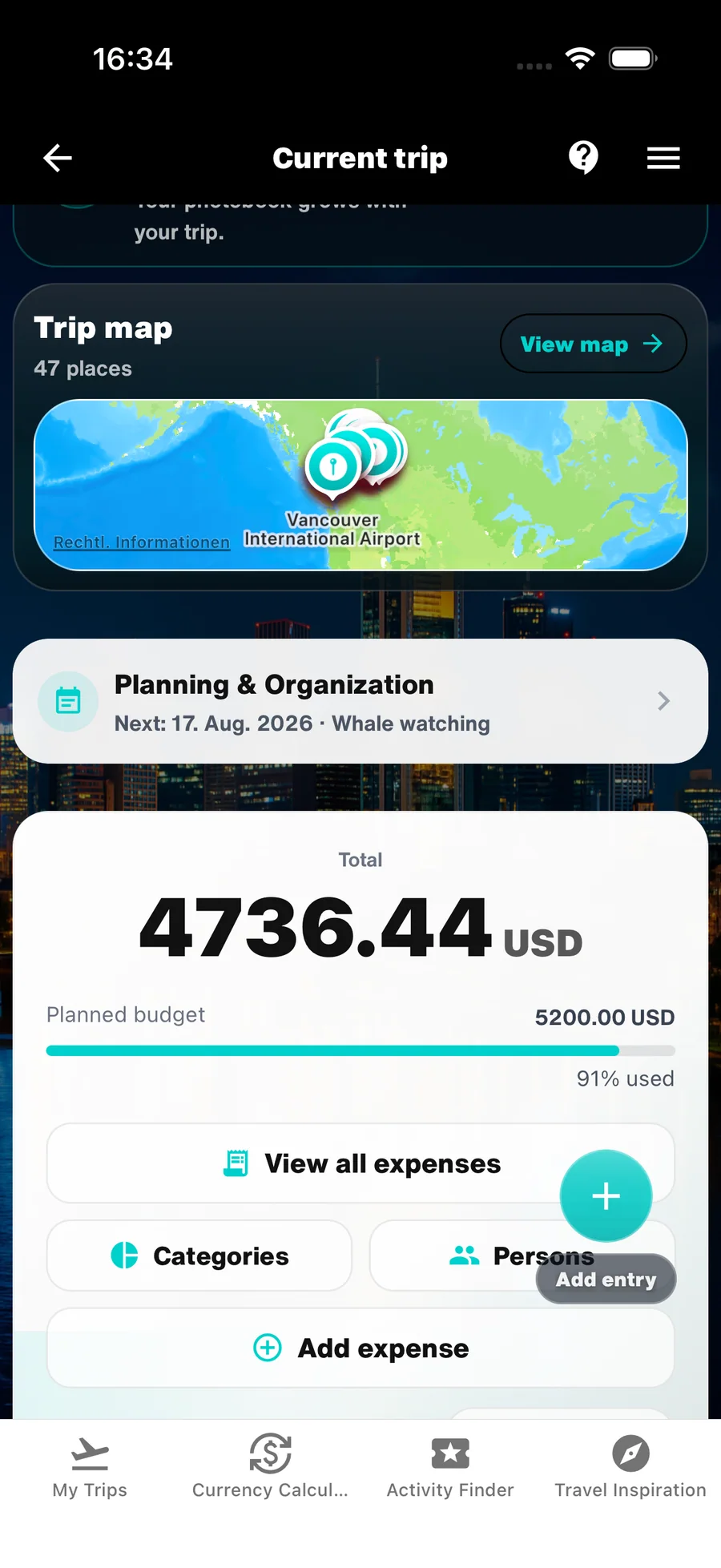
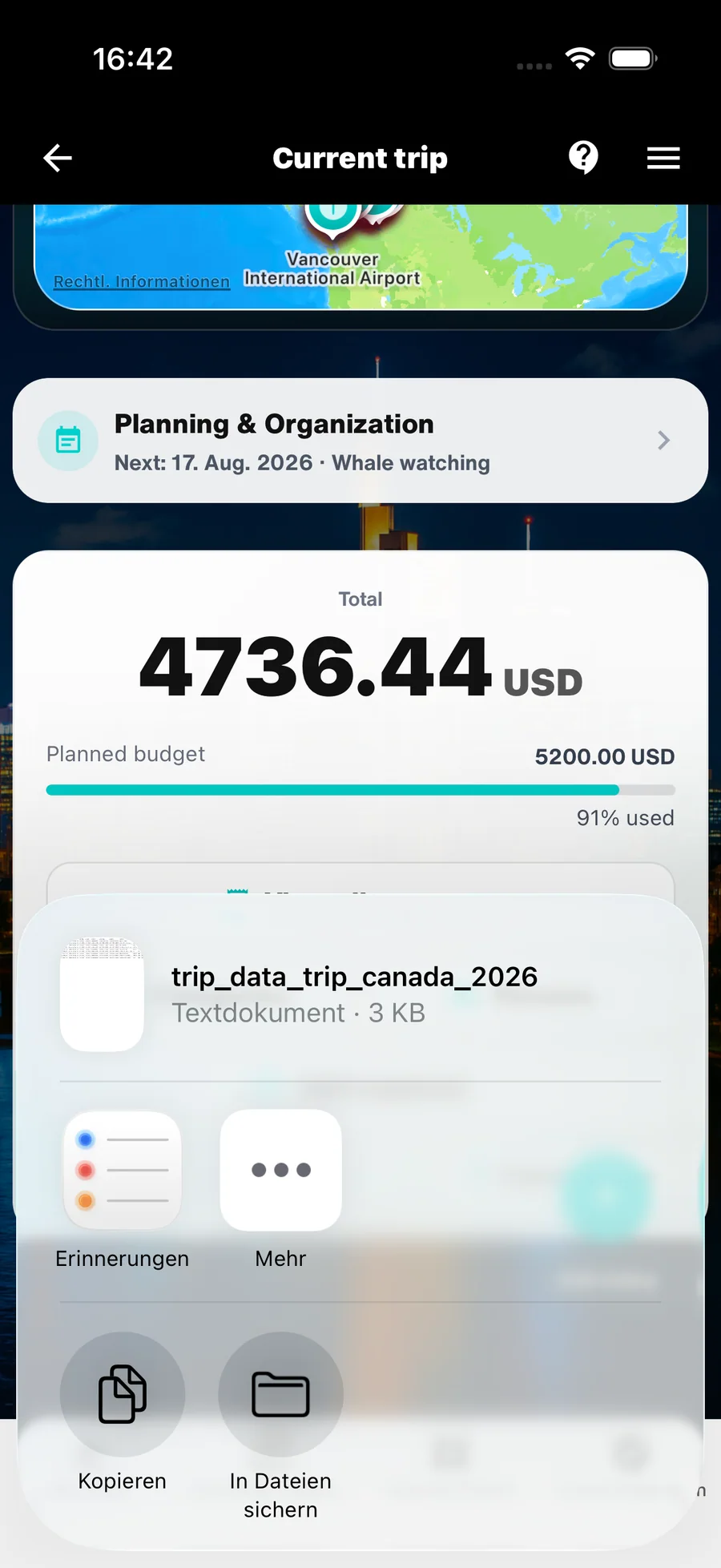
The Budget Card is your central overview of planned and actual travel costs. It shows how much you have spent and which categories account for the largest share.
Use the Budget Card for orientation rather than as a daily score. It helps you understand your costs and adjust early when necessary.
- Keep planned budgets and actual expenses together in one place.
- Open a category when you want to see exactly where the money went.

2. Record, edit and correct travel expenses
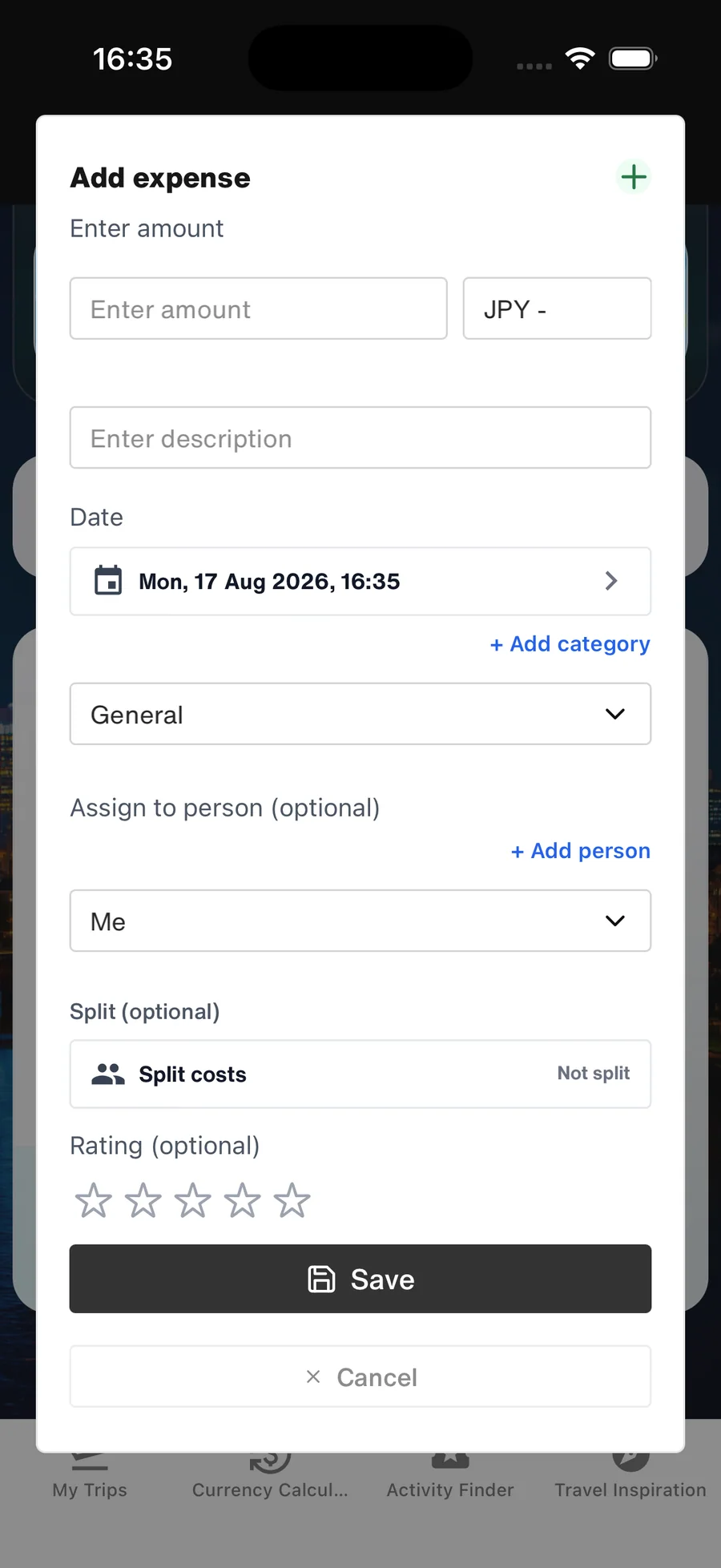
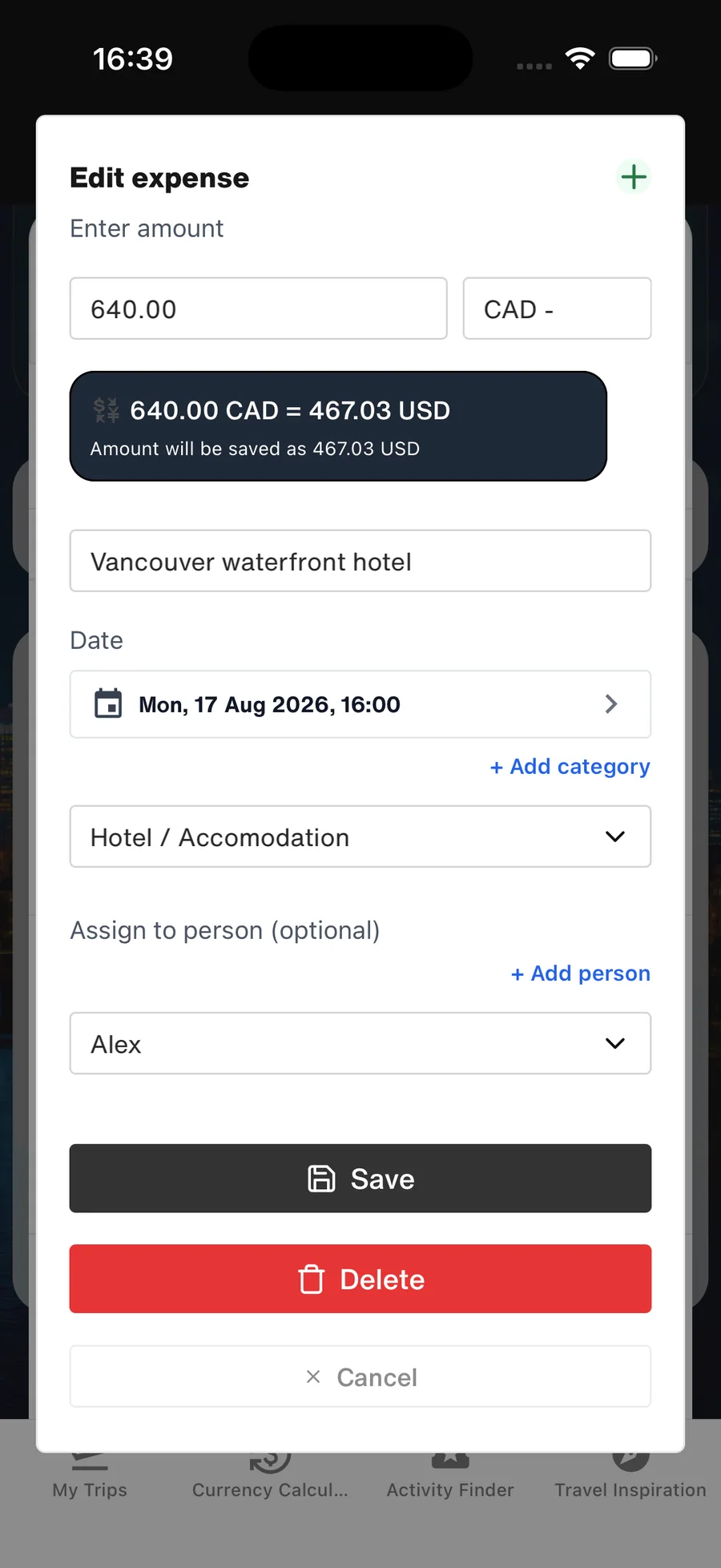
For each expense, enter the amount and currency, a short description and the relevant category. WanderSpend automatically converts the amount into your home currency so that costs remain comparable.
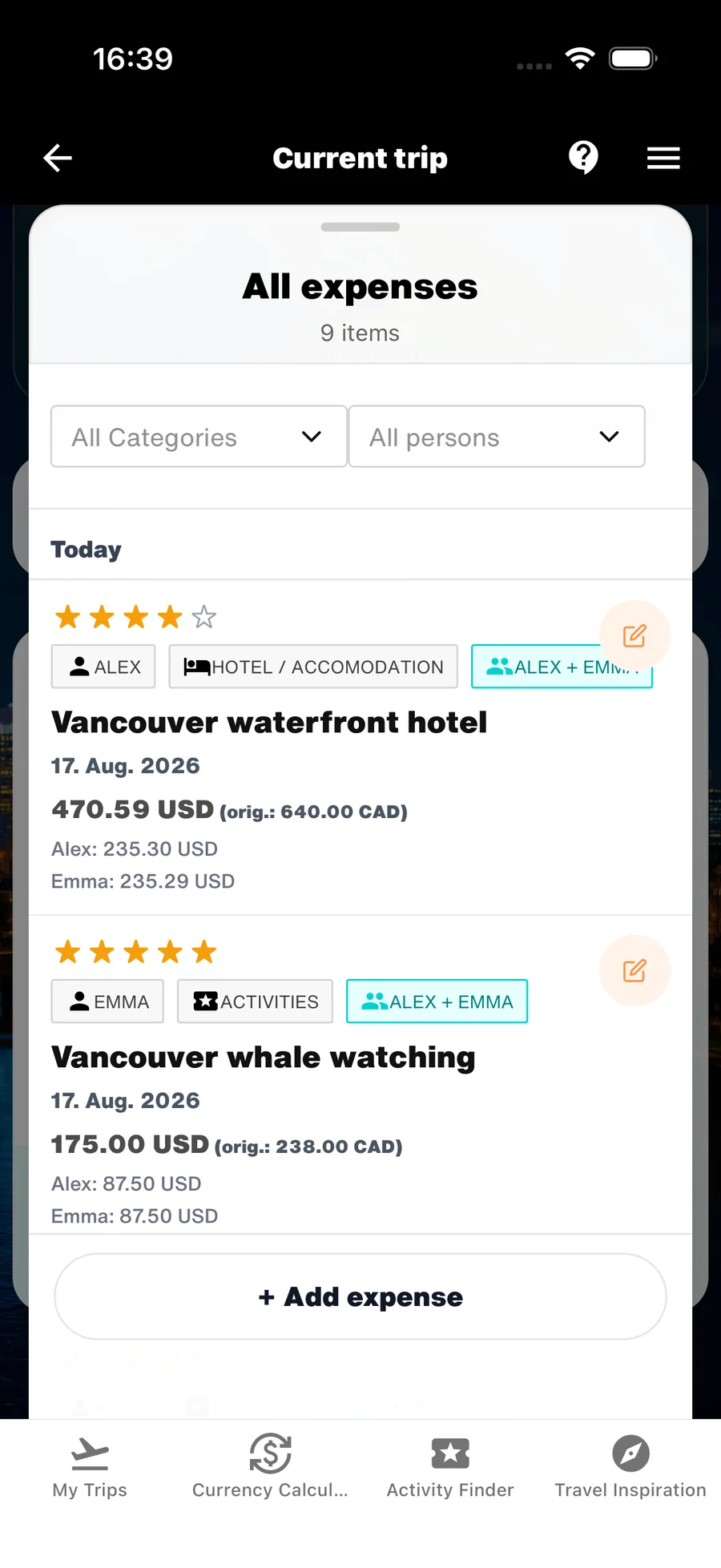
You can edit, correct or delete an expense at any time. Open the expense and tap the pencil icon.
- Use a short description that will still make sense later.
- Check the amount, currency and category after saving.
- Correct or remove accidental entries with the pencil icon.
3. Set up categories and planned budgets
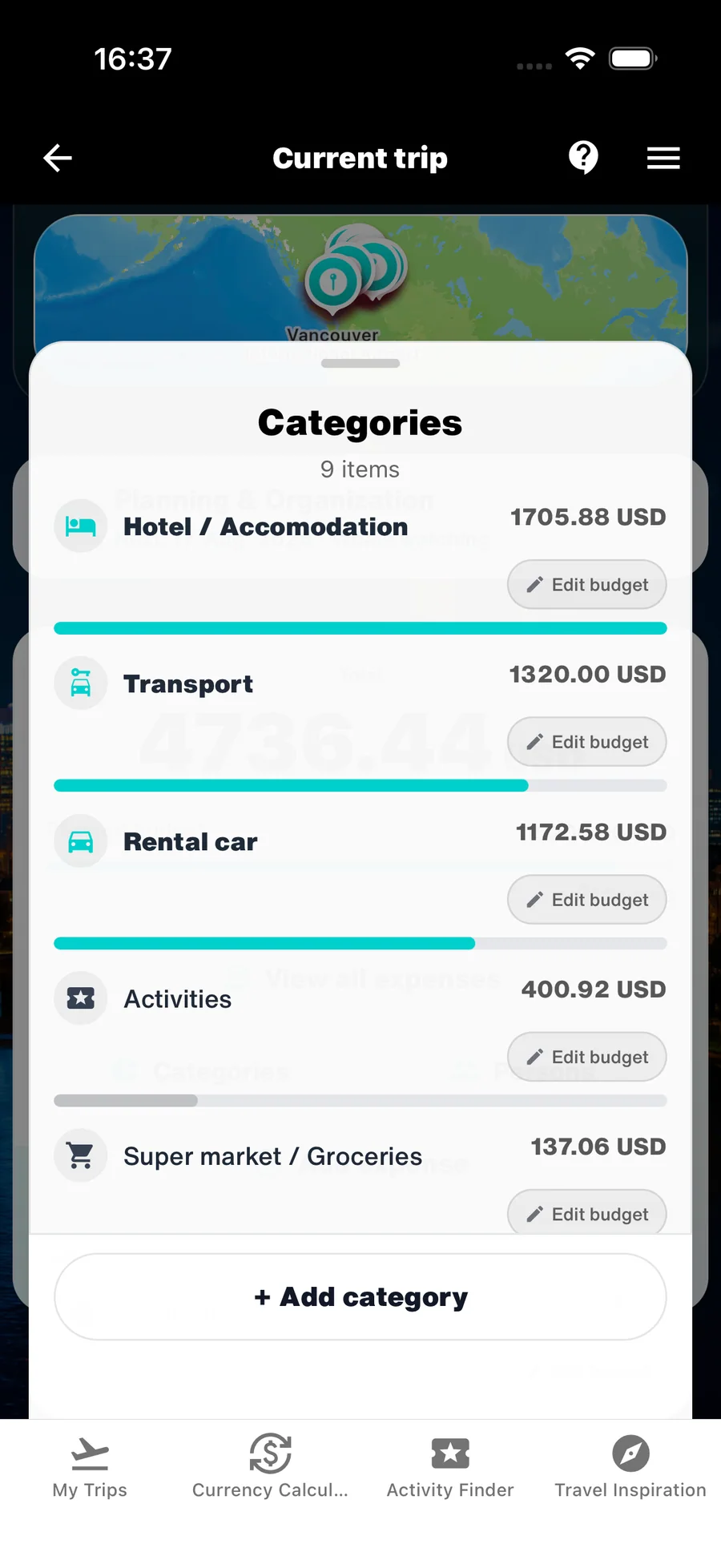
WanderSpend includes nine standard categories for common travel costs. You can also create custom categories when your trip needs a more specific breakdown.
If you do not choose a category, General is used by default. You can also set a planned budget for each category and compare it with the actual expenses later.
- Use the standard categories for accommodation, transport, food and other common costs.
- Create custom categories only when they make the review more useful.
- Set a planned budget per category if you want to structure the trip in advance.
4. Add people and split costs
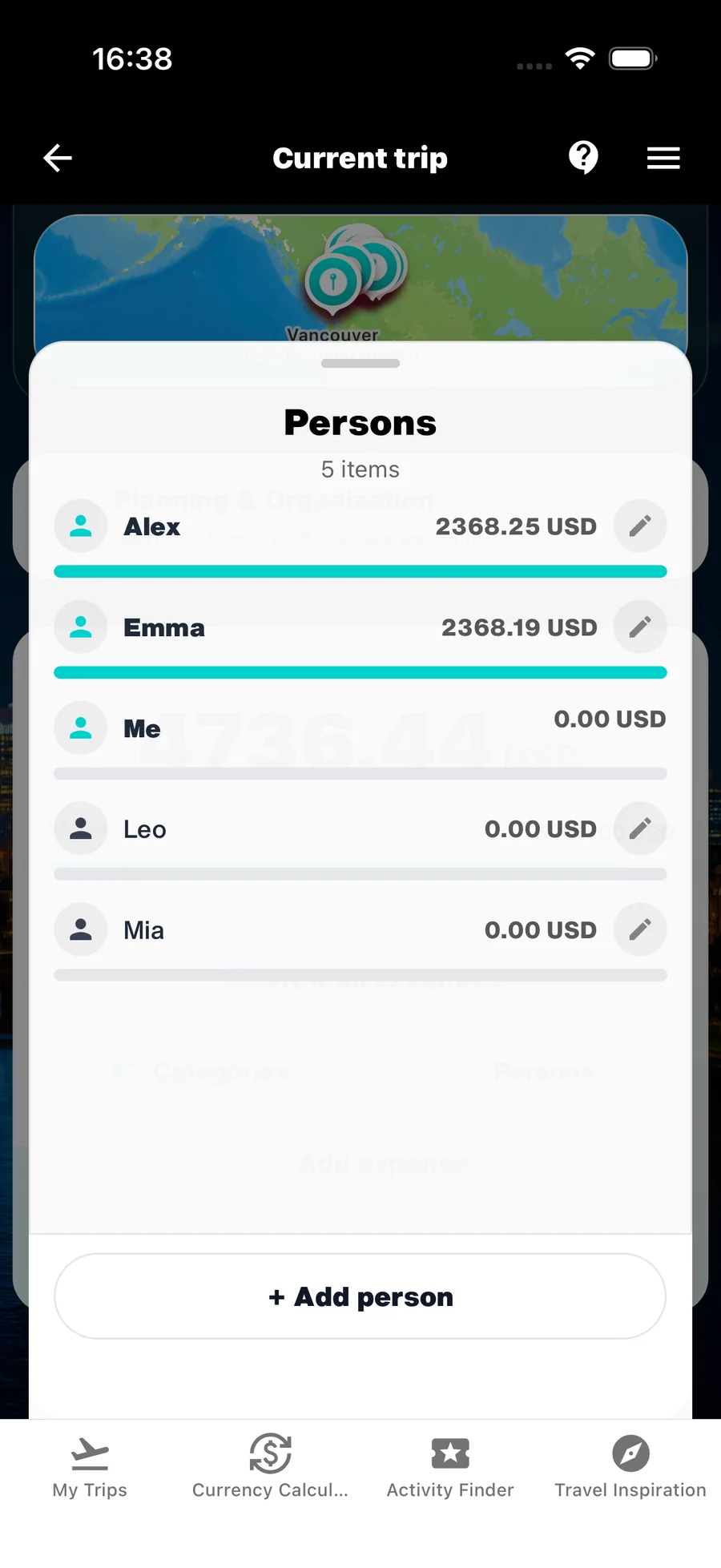
Add people when you want to assign an expense to one or more travellers or divide shared costs. Until you add someone else, WanderSpend uses Me as the default person.
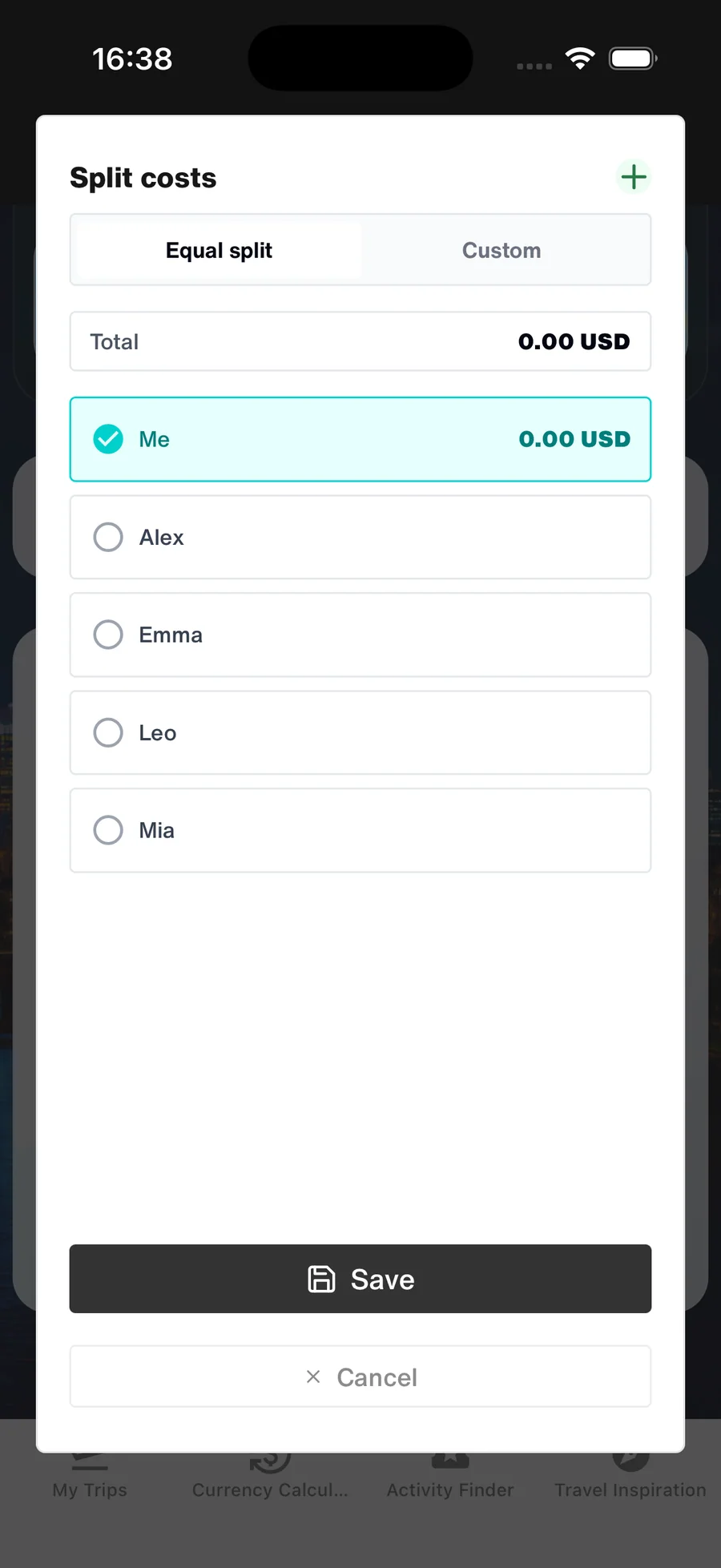
Cost Split lets you divide a shared expense equally or enter an individual amount for each person. This is useful for accommodation, rental cars, shopping or shared activities.
- Assign an expense to one person when it is not shared.
- Choose an equal split for simple shared costs.
- Use individual amounts when travellers contribute different sums.
5. Export expenses as a CSV file
You can export all expenses from a trip as a CSV file. The data can then be used in Excel, Numbers or another spreadsheet app.
The export is especially useful when you want a more detailed analysis, need to share expenses or want to keep a separate personal copy.
- Export the current data before starting your own analysis.
- Store exported files with your other travel records when needed.
Help by feature
- Use WanderSpend before, during and after a tripStep-by-step instructions from creating a trip to memories and your Photobook.Open tutorial
- Documents, notes and checklistsKeep bookings, tickets and practical trip details together.Open tutorial
- Trip Map and placesBuild a visual route and connect places with travel days.Open tutorial
- Trip TimelineTurn dates, places, notes and photos into a day-by-day story.Open tutorial
- WanderSpend PhotobookSee how your timeline grows into an editable printed travel book.Open tutorial